

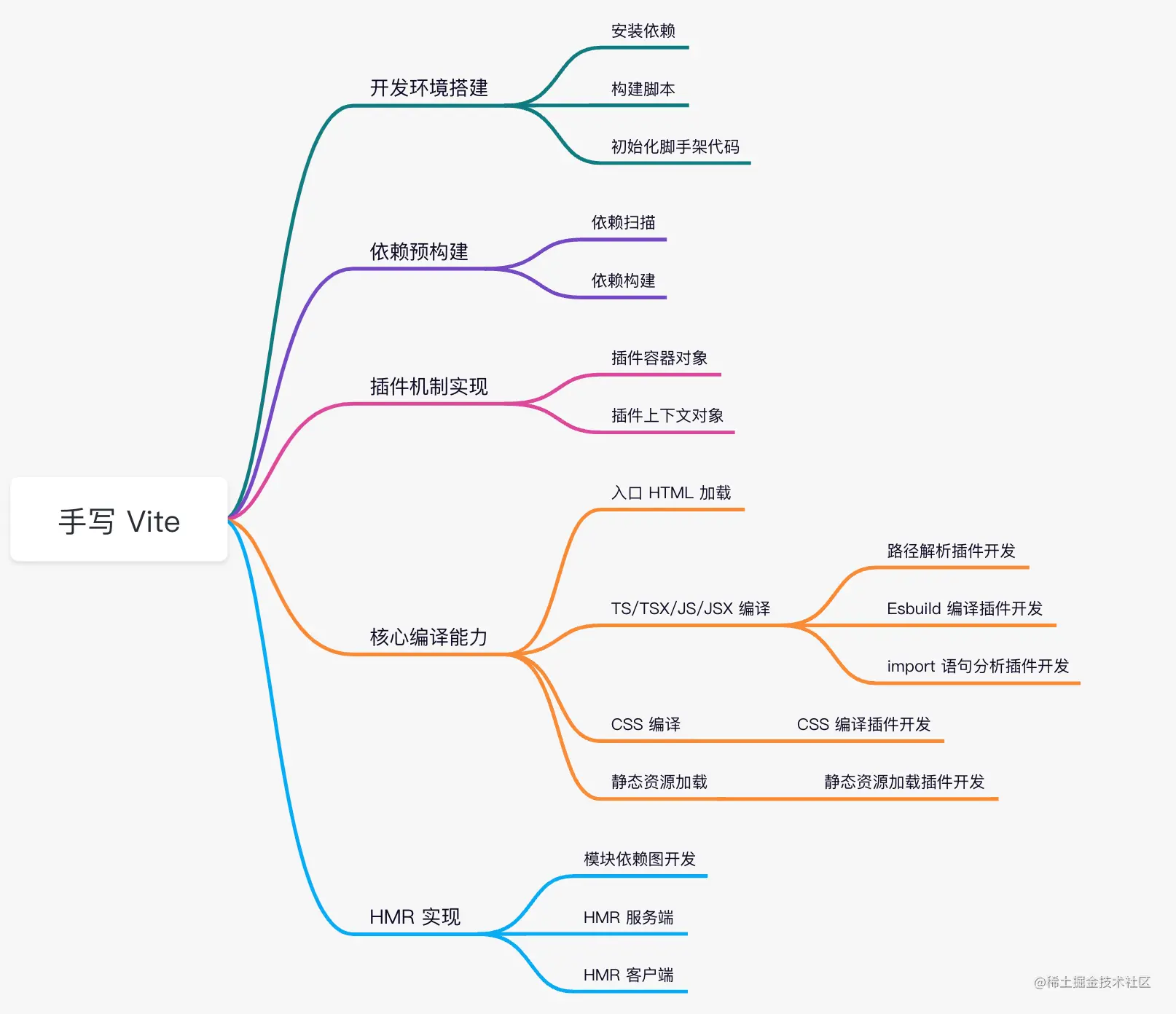
# 搭建开发环境
注: 手写 Vite 项目的所有代码,我已经放到了小册的 Github 仓库中,点击查看。
首先,你可以执行pnpm init -y来初始化项目,然后安装一些必要的依赖,执行命令如下:
对于各个依赖的具体作用,大家先不用纠结,我将会在后面使用到依赖的时候介绍。
// 运行时依赖
pnpm i cac chokidar connect debug es-module-lexer esbuild fs-extra magic-string picocolors resolve rollup sirv ws -S

// 开发环境依赖
pnpm i @types/connect @types/debug @types/fs-extra @types/resolve @types/ws tsup
@前端进阶之旅: 代码已经复制到剪贴板
Vite 本身使用的是 Rollup 进行自身的打包,但之前给大家介绍的 tsup 也能够实现库打包的功能,并且内置 esbuild 进行提速,性能上更加强悍,因此在这里我们使用 tsup 进行项目的构建。
为了接入 tsup 打包功能,你需要在 package.json 中加入这些命令:
"scripts": {
    "start": "tsup --watch",
    "build": "tsup --minify"
},
@前端进阶之旅: 代码已经复制到剪贴板
同时,你需要在项目根目录新建tsconfig.json和tsup.config.ts这两份配置文件,内容分别如下:
// tsconfig.json
{
  "compilerOptions": {
    // 支持 commonjs 模块的 default import,如 import path from 'path'
    // 否则只能通过 import * as path from 'path' 进行导入
    "esModuleInterop": true,
    "target": "ES2020",
    "moduleResolution": "node",
    "module": "ES2020",
    "strict": true
  }
}
// tsup.config.ts
import { defineConfig } from "tsup";

export default defineConfig({
  // 后续会增加 entry
  entry: {
    index: "src/node/cli.ts",
  },
  // 产物格式,包含 esm 和 cjs 格式
  format: ["esm", "cjs"],
  // 目标语法<


